
UX/UI Designer
2025
3 weeks
Jamalpur Flower Market, Ahmedabad
Individual
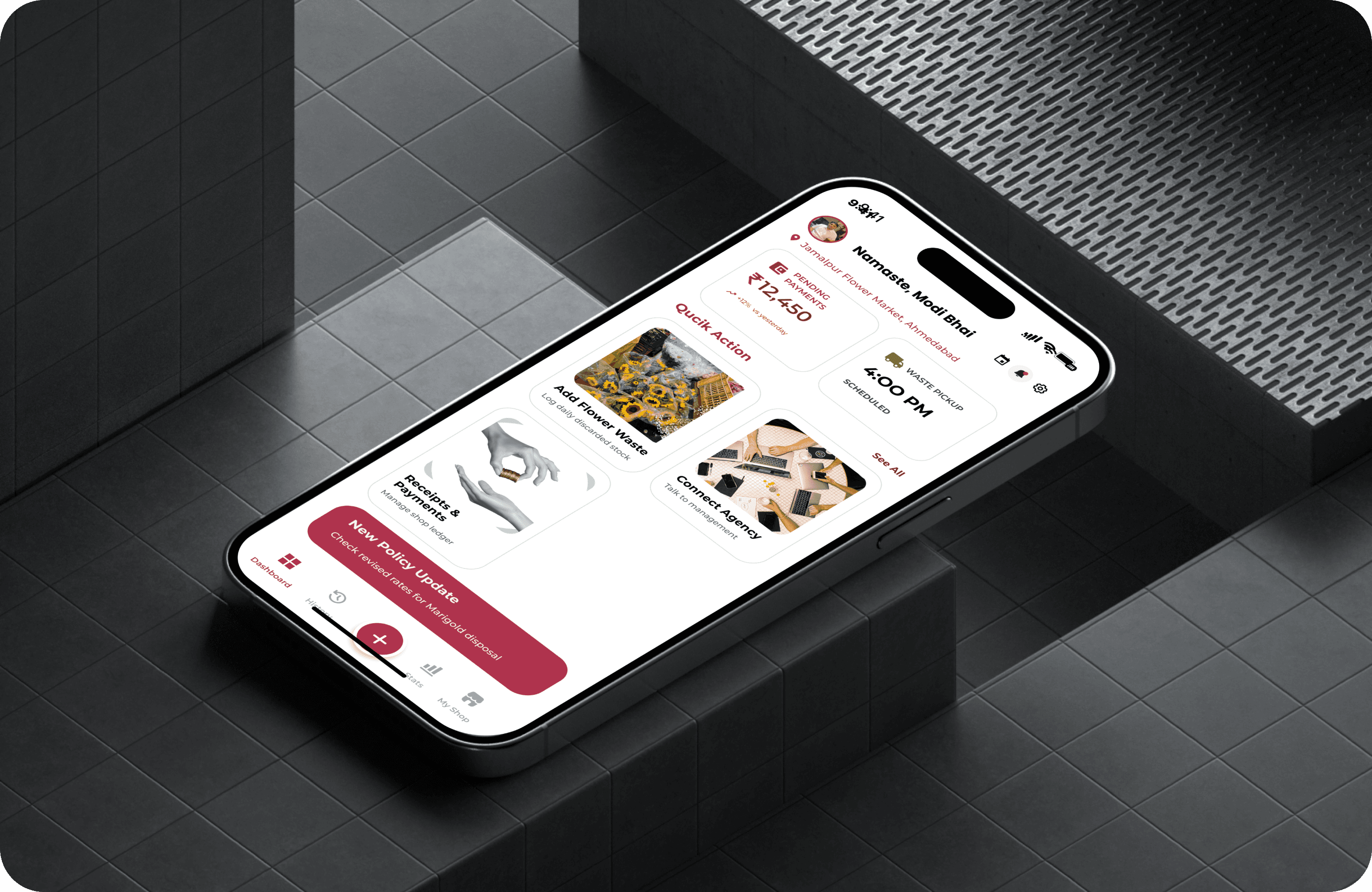
Figure 1.1

Figure 2.1

Figure 2.2

Figure 3.1.1

Figure 3.2.1

SHOP OWNER
Age
42 years
Gender
Male
Experience
20+ years in flower trade
Education
Basic to moderate
Business Type
Wholesale + Retail stall
Location
Jamalpur Flower Market ,
Ahmedabad
-shop owner
Ramesh bhai is a second-generation flower shop owner at Jamalpur Flower Market with over 20 years of experience. His day revolves around purchasing flowers in bulk, managing customers, and handling payments manually. He keeps records in a khata notebook and relies on memory for customer pickups and dues. Unsold flowers at the end of the day often lead to financial loss. While he uses WhatsApp and UPI, he has never used a structured digital tool for managing his shop.
Maintain loyal customer relationships
Earn stable daily income
Reduce financial loss due to flower waste
Expand shop or open another branch
Price fluctuation creates uncertainty
Difficulty tracking pending payments
High mental load during peak hours
Lack of structured waste management system
Storage space limitations
Uses smartphone regularly
Comfortable with calls, WhatsApp, and UPI
Limited experience with structured digital systems

01
Onboarding
• Splash screen
– Get started
• Login / owner details
– Owner name input
– Shop name input
– Phone number input
– Continue CTA
• Entry to dashboard
02
Dashboard
• Header section
– Greeting (owner name)
– Shop name
– Location (Jamalpur market)
• Daily summary card
– Pending payments
– Waste pickup status
– Pending deliveries
• Quick actions
– Add flower waste
– Connect agency
– Receipts & payments
– Trackers & reports
• Market updates
– Price / demand insights
• Bottom navigation
– Dashboard
– History
– Add (+)
– Stats
– My shop
03
Waste management flow
• Waste entry
– Step 1 · Select flower type
– Step 2 · Enter quantity
– Step 3 · Waste action choice
• Waste action choice
– Recycle via agency
– Compost
– Municipal pickup
• Confirm action CTA
• Success screen
– Back to dashboard
04
Agency connection flow
• Agency directory
– Incense recycling agencies
– Compost agencies
– NGOs
– Municipal waste partner
• Agency detail screen
– Agency name & info
– Accepted flower types
– Response time
– Rating
– About agency
• Action
– Call agency
– Request pickup
• Request sent screen
– Confirmation message
– Estimated arrival time
• Incoming connection request
– Accept request
– Decline request
• Partnership confirmation
– Start first pickup
– View my partners
05
Receipts & payments
• Financial ledger overview
– Total revenue
– Total pending
– Daily transaction summary
• Payment history
– Search customer / order ID
– Paid records
– Pending records
• Receipt detail screen
– Customer name
– Phone number
– Order details
– Payment status toggle
– Mark as paid CTA
06
Reminder system
• Set reminder
– Pickup date
– Pickup time
– Save reminder
• Reminder confirmation screen
– Reminder scheduled successfully
• Reminder notification alert
– Order pickup reminder
– Payment due reminder
• Quick action from notification
– Open order
– Send WhatsApp reminder
07
Calendar & order tracking
• Monthly calendar view
– Today orders
– Upcoming orders
– Completed orders
• Daily order detail
– Customer name
– Order type
– Pickup / delivery time
– Status
• Quick action
– Call customer
– Mark completed
– Edit order
08
History & reports
• Waste logs
– Daily waste quantity
– Disposal method used
• Payment reports
– Daily earning
– Pending amount
– Collection trends
• Agency interaction logs
09
Agency interaction history
• Interaction timeline
– Today
– Yesterday
– Previous records
• Interaction cards
– Agency name
– Pickup status
– Call again button
– Notes / status tag
• Log new interaction
10
Settings
• Language setting
– English
– Hindi
– Gujarati
• Preferences
– Enable notifications
– Enable reminders
– WhatsApp integration
• Support & help
– Contact support
– FAQs
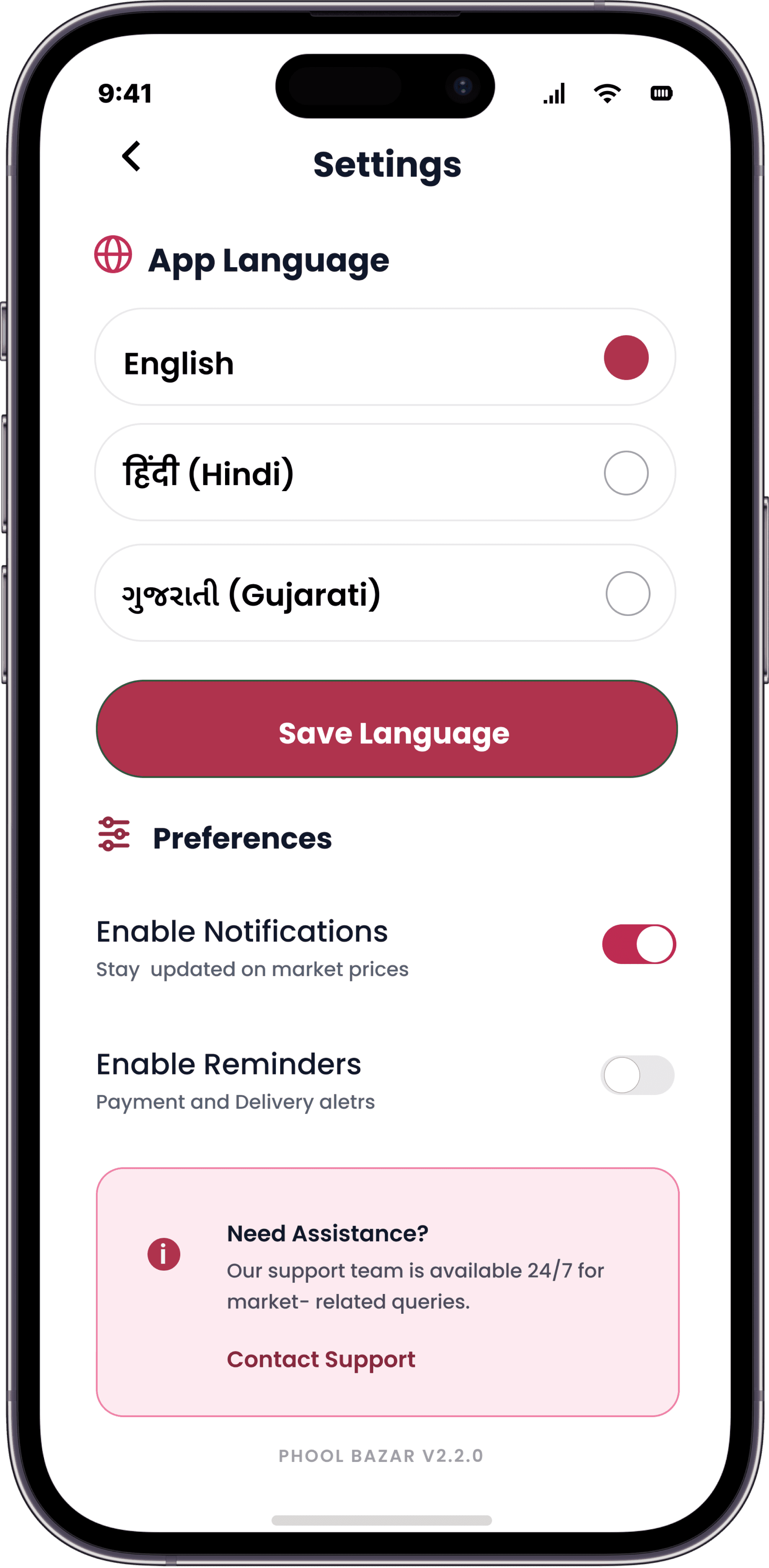
Switch between English, Hindi, and Gujarati while managing notifications and reminder preferences.

A centralized hub showing daily shop insights, pending payments, waste pickup schedules, and quick actions.

Track upcoming pickups, deliveries, and customer orders through a simple calendar view.

Dashboard Overview
Access daily shop insights and quick actions like waste logging, agency connections, and payment tracking.

Select Flower Waste
Choose the type of unsold flowers to log and begin the waste recording process.
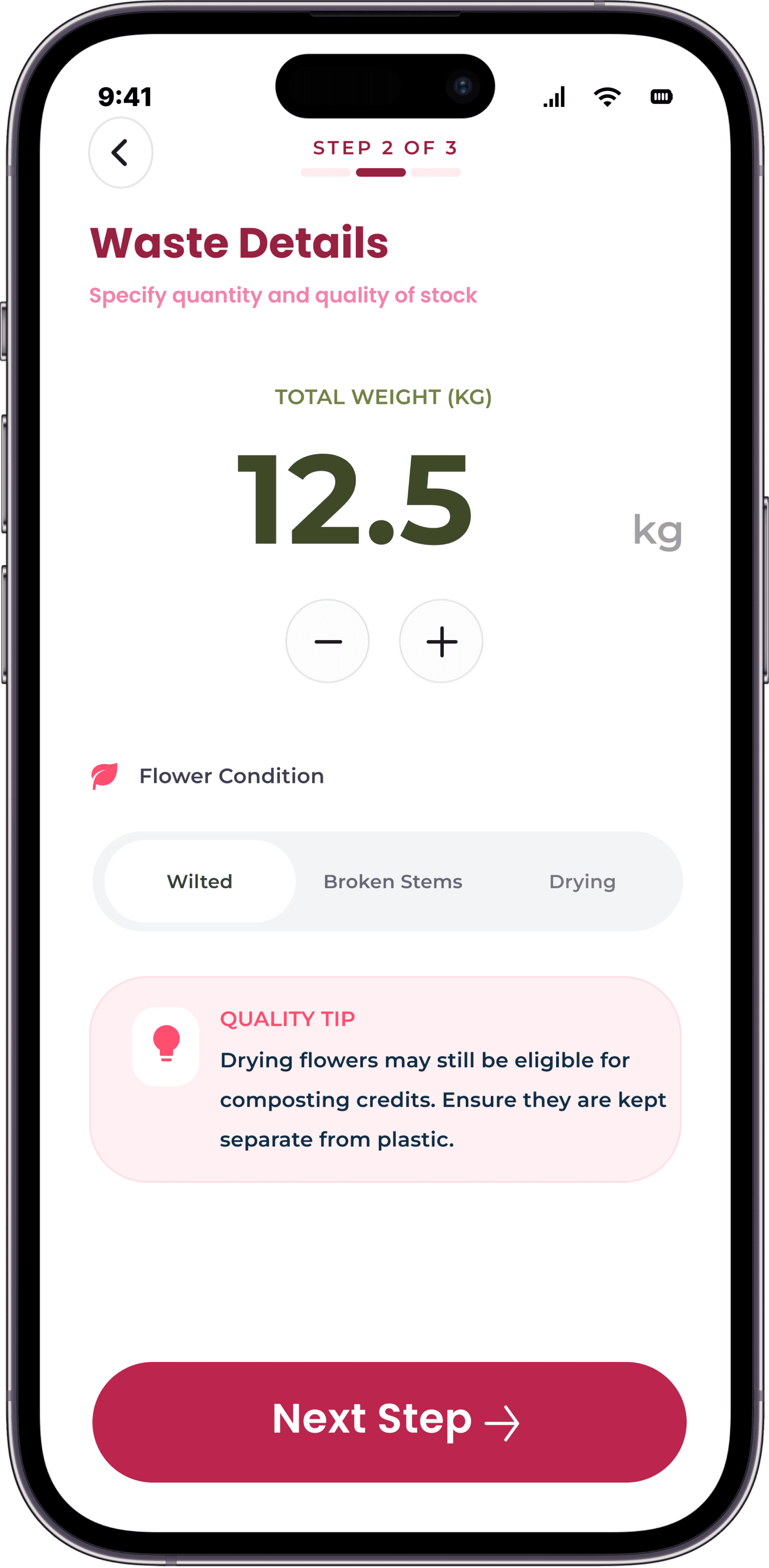
Waste Details
Enter the quantity and condition of the flowers to accurately track unsold stock.

Choose Disposal Method
Select the preferred disposal option such as recycling, composting, or municipal pickup.

Waste History
Review previously logged waste records and track disposal activities over time.

Browse verified recycling and composting partners with trust scores and quick filters.

View agency services, accepted flower types, and response time before connecting.

Request confirmed with estimated arrival time and pickup details.

Create Receipt
Record customer orders, payment status, and pickup details to maintain a clear shop ledger.

Transaction Details
View complete order information including items, total amount, and payment status.
Send Payment Reminder
Send a quick WhatsApp reminder to customers for pending payments directly from the app.


